---
title: Settings and keyboard shortcuts
description: Every setting on the settings page - what it does, what it offers, what it starts as and where it exists - and every keyboard shortcut of the app.
reviewed: 2026-10-29
---
## The settings page {#page}
The gear in the toolbar of the day view opens *Settings*. The page has three parts:
| Part | Holds | Kept |
| --- | --- | --- |
| *Notes*, or *Profile:* and the profile's name | Where the notes are, how they sync, linked folders, day templates, tag colours | Per profile |
| *App* | Language, week, appearance, the task form, reminders, widgets, the background sync, Pro | Per device, the same in every profile |
| *Help & info* | Shortcuts, feedback, diagnostics, imprint, version | - |
Each part is a stack of sections that fold. One section is open at a time: opening one closes the
one that was open, and it is open again the next time. Two open by themselves when something needs
you: *Storage* when the notes folder is missing, a day exists twice or the notes exist only inside
the app, *Sync* when the last sync failed.
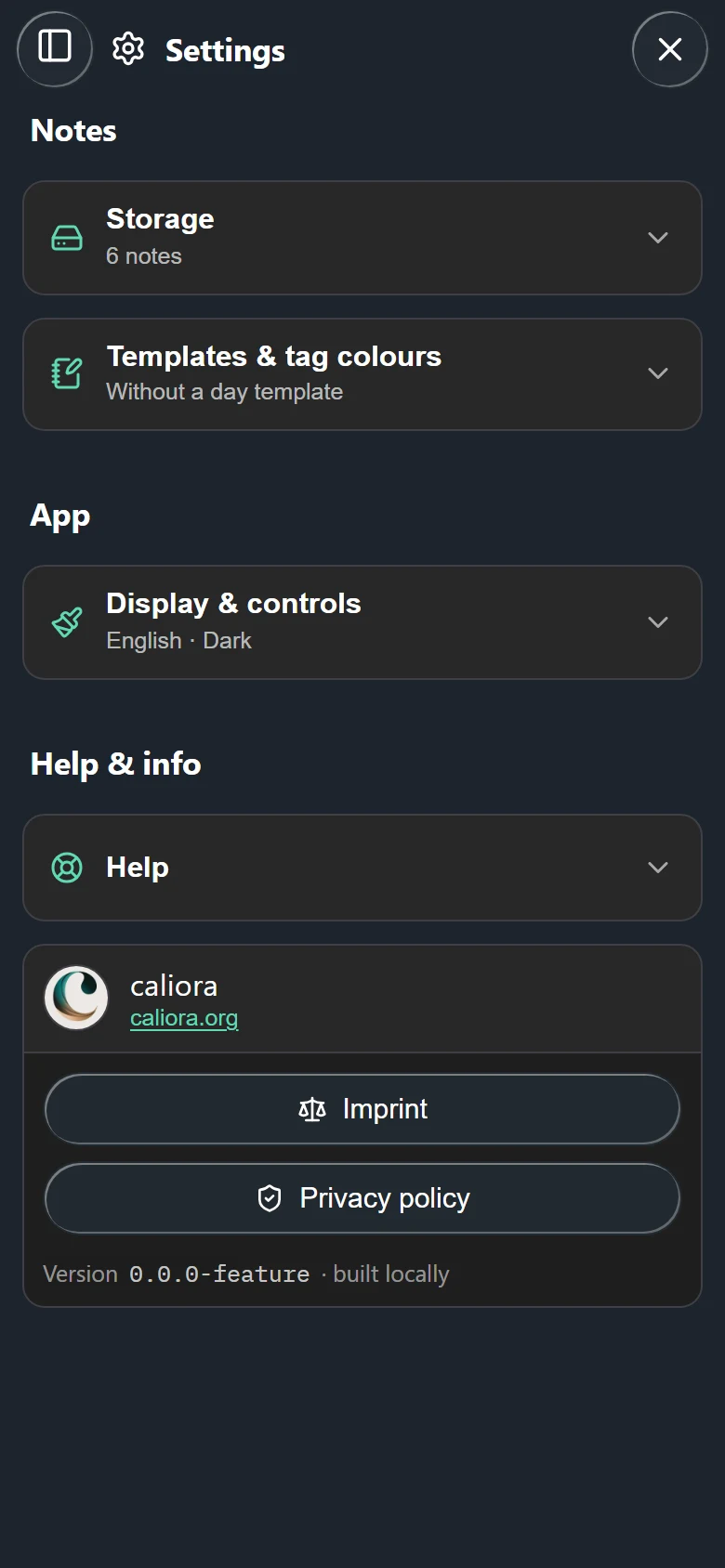
Sections that a platform cannot offer are not shown at all. The browser showcase on the website
keeps its notes in memory, so it has no sync and no linked folders.
## The open profile {#profile}
The first part belongs to the profile that is open. With one profile it is headed *Notes*, with a
*Profiles...* button beside it. From the second profile on it is headed *Profile:* and the
profile's name, in the profile's colour, with *Switch or manage...* beside it. Switching shows the
other profile's values in every section of this part. Profiles are explained in
[Profiles and storage](../profiles-and-storage/index.md).
### Storage {#storage}
| Setting | What it does | Options and default | Platform |
| --- | --- | --- | --- |
| The folder line | Shows the notes folder and how many notes it holds. Says *This folder does not exist. Nothing was loaded from it.* when it is gone. | - | All |
| *Notes live inside the app* | A warning while the notes exist only in the app's own storage and no sync is set up. | - | Android |
| *Choose folder...* | Copies the notes into another folder and uses that from then on. The old folder is left untouched. | See below | Windows, Linux, Android |
| *Export notes as ZIP* | Writes every note into a ZIP file. | - | Windows, Linux, Android |
| *Review* | Appears while a day exists twice and opens *Days that exist twice*. | - | Windows, Linux, Android |
Where the folder starts out on each platform is in
[Your notes folder](../getting-started/index.md#notes-folder).
### Sync {#sync}
The section exists wherever the notes are in a folder: Windows, Linux and Android.
| Setting | What it does | Options and default |
| --- | --- | --- |
| *Set up sync...* | Opens the wizard: server, account, notes folder, check. | - |
| *Test connection* | Runs the checks again and shows each step. Appears once sync is set up. | - |
| *Sync now* | Starts a sync. Afterwards a line says what moved. | - |
| *Check for changes* | How often the open app asks the server for changes. Appears once sync is set up. | *Off*, 5, 15, 30, 60 min. Default 15 min. |
> [!PRO]
> The built-in sync is part of tagwerk Pro on Windows and Android. Without Pro the section shows a
> notice instead of the buttons. On Linux it is included. A folder that another program syncs is
> free everywhere.
Everything about it is in [Sync](../sync/index.md#when).
### Linked folders {#linked-folders}
| Setting | What it does | Options and default | Platform |
| --- | --- | --- | --- |
| *Link a folder...* | Adds a folder in which a link like `[[Note]]` is looked for. Folders are searched in the order listed. | None linked | Windows, Linux, Android |
| *Read the folder again* | Reads the folder's file list anew. | - | Windows, Linux, Android |
| *Remove folder* | Takes the folder off the list. Nothing in it is touched. | - | Windows, Linux, Android |
The list belongs to the profile on this device; another device has its own. What such links do is in
[Links to files](../day-notes/index.md#vault-links).
### Templates & tag colours {#templates}
| Setting | What it does | Options and default |
| --- | --- | --- |
| *Day templates* | *Write a template...* or *Manage templates...* opens the templates: one for every new day, one per weekday, one per day of the month. | *New days start empty.* |
| *Tag colours* | *Assign colours...* opens the list of your tags, each with a colour. | No colours |
| *In the note* (inside *Assign colours...*) | How a coloured tag looks in the note. | *Coloured tag*, *Dot*, *Nothing*. Default *Coloured tag*. |
| *Colour bar at the start of the line* (inside *Assign colours...*) | A bar in the tag's colour at the left edge of its line. | Off |
Templates and colours are files in the profile's folder, so they travel with its notes. How the
note shows a coloured tag is kept per profile on the device.
> [!PRO]
> Day templates and tag colours are part of tagwerk Pro. Without Pro, existing template files and
> colours stay in the folder and take effect again once Pro is back. On Linux both are included.
See [Day templates](../day-notes/index.md#templates) and
[Tag colours](../tags-and-search/index.md#colours).
## The app {#app}
The second part belongs to the app on this device. It looks the same in every profile, and a
profile switch does not change it.
### Display & controls {#display}
| Setting | What it does | Options and default |
| --- | --- | --- |
| *Language* | The language of the app. | *English*, *Deutsch*. Default: the device's language, German on a German system and English on any other. |
| *Week starts on* | The first column of every calendar and date picker. | *System*, Monday, Sunday, Saturday. Default *System*, which follows the device's regional format. |
| *Calendar weeks* | A column of week numbers in the calendars. A line below says which rule is chosen. | *Off*, *ISO 8601*, *1 January*. Default *Off*. |
| *Appearance* | Light or dark colours. | *System*, *Light*, *Dark*. Default *System*. |
| *Tasks* - *Apply task changes immediately* | A change in the task form is written into the note as it is made, and the form only has *Close*. Switched off, the form has *Cancel* and *Save*. A new task always waits for *Create*. | On |
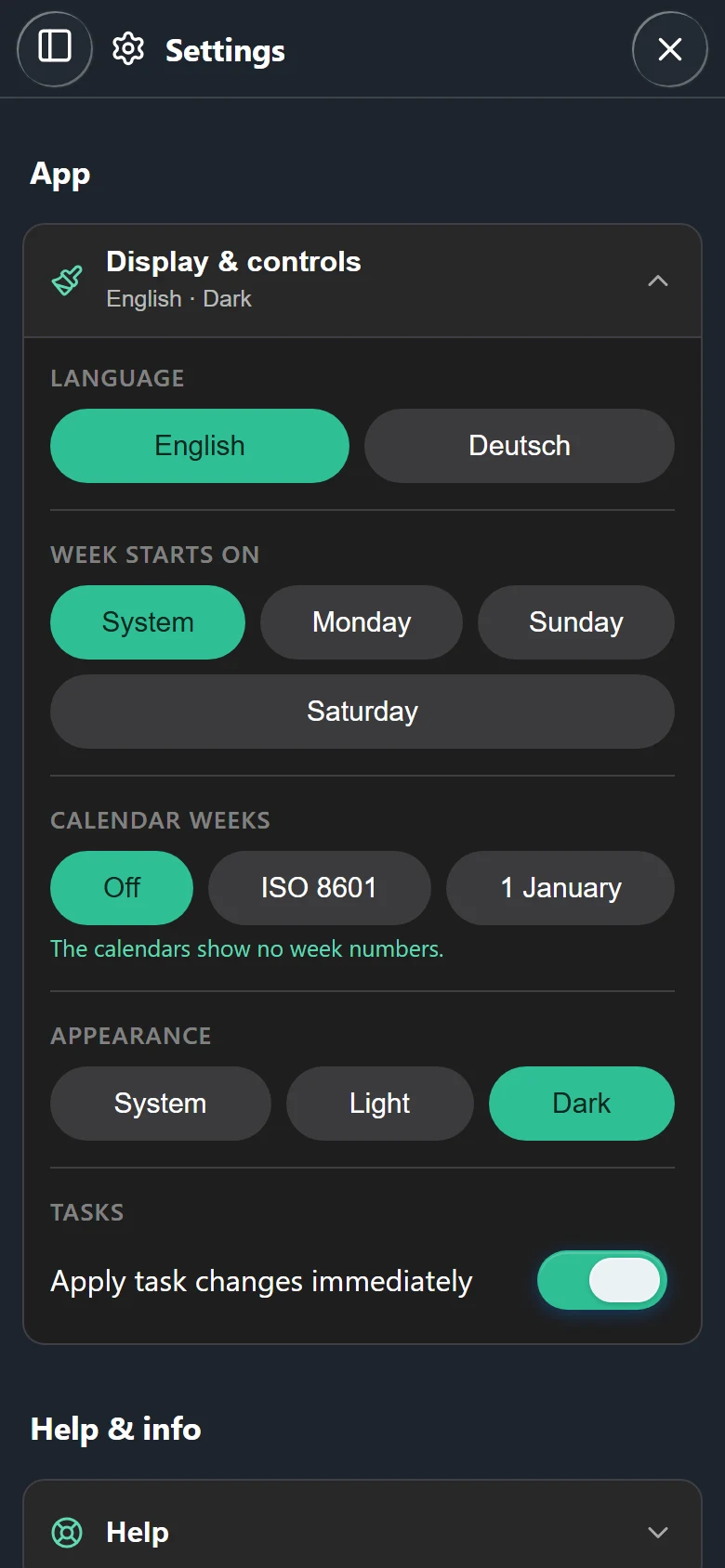
The week settings are explained in
[First day of the week and week numbers](../calendar/index.md#weeks).
### Reminders {#reminders}
This section exists on Android and on Windows in the version from the Microsoft Store. The
settings apply to this device and to every profile.
| Setting | What it does | Options and default |
| --- | --- | --- |
| *Remind me on this device* | Switches reminders on. The rest of the section appears only then. | Off |
| *Which lines* | Which lines get a reminder. Below it, how many reminders are due in the next 14 days. | *Only lines with C/*, *Every line with a time*. Default *Only lines with C/*. |
| *Lead time* | How long before the time a reminder comes. With *Every line with a time* only; a line with `C/` has its own lead time. | *At the time*, 5, 15, 30 min before, *1 hour before*. Default *At the time*. |
| *Remind me of* | Appointments and tasks with a time, separately. With *Every line with a time* only. | *Appointments* on, *Tasks with a time* off |
| *Delivery* | What the platform does with a reminder. Where something is missing, *Allow notifications* and *Allow exact alarms*; on Android always *Choose sounds*. | - |
What a reminder shows and what its buttons do is in [Reminders](../reminders/index.md).
### Home screen & system {#system}
This section exists on Android only.
| Setting | What it does | Options and default |
| --- | --- | --- |
| *Widgets* - *Appearance* | Light or dark widgets on the home screen. | *System*, *Light*, *Dark*. Default *System*. |
| *On the home screen* | Lists the widgets placed on the home screen. Tap one to set it up. | - |
| *Sync in the background* | How often Android syncs the open profile while the app is closed. Appears once sync is set up, and with Pro. | *Off*, 15, 30 min, 1, 3, 6 h. Default 1 h. |
| *Text selection menu* - *Offer "Add to tagwerk"* | Text selected in another app can be sent to today's note from the selection menu. | On |
Setting up a single widget is described in [Widgets](../widgets/index.md).
### tagwerk Pro {#pro}
This section exists where Pro can be bought: on Android and on Windows. On Linux every Pro feature is
included, so there is no section. What the section shows depends on how Pro was bought:
| Button | What it does | Platform |
| --- | --- | --- |
| *Buy Pro* | On Android from Google Play: buys through Google Play. On Windows and the Android build from caliora.org: opens the licence page in the browser. | Windows, Android |
| *Restore purchase* | Asks Google Play again for a purchase made earlier. | Android from Google Play |
| *Licence lost?* | Opens the page where a licence is sent to you again. | Windows, Android from caliora.org |
| *Import licence* | Takes a licence pasted from the purchase e-mail. | Windows, Android |
| *Use Pro on your other devices* | Turns a Google Play purchase into a licence file in your notes folder. *Name for the licence* and *E-mail for recovery (optional)* can be filled in first. | Android from Google Play |
| *Your licence*, *Copy licence* | Shows the licence as text, for a device that does not share the folder. | Windows, Android |
| *Remove licence* | Takes the licence file off this notes folder. | Windows, Android |
What Pro includes and how a licence moves between devices is in [tagwerk Pro](../pro/index.md).
## Help & info {#help}
### Help {#help-section}
| Entry | What it does | Platform |
| --- | --- | --- |
| *Keyboard* | Lists the keyboard shortcuts, the same as [below](#keyboard). | Windows, Linux, browser |
| *Feedback* - *Report a bug or an idea* | Opens the public issue tracker on GitHub in the browser. Whatever you write there is public. | All |
| *Server speed* | How long the sync server took per kind of request. See [Server speed](../sync/index.md#server-speed). | All |
| *Numbers and diagnostics* | Counts of notes, tasks, tags and database contents, as text to copy. See [Numbers and diagnostics](../tags-and-search/index.md#numbers). | All |
| *Diagnostics* - *Log* | The app's log, with *Copy* and *Clear log*. Appears once something has been logged. | Windows, Linux, Android |
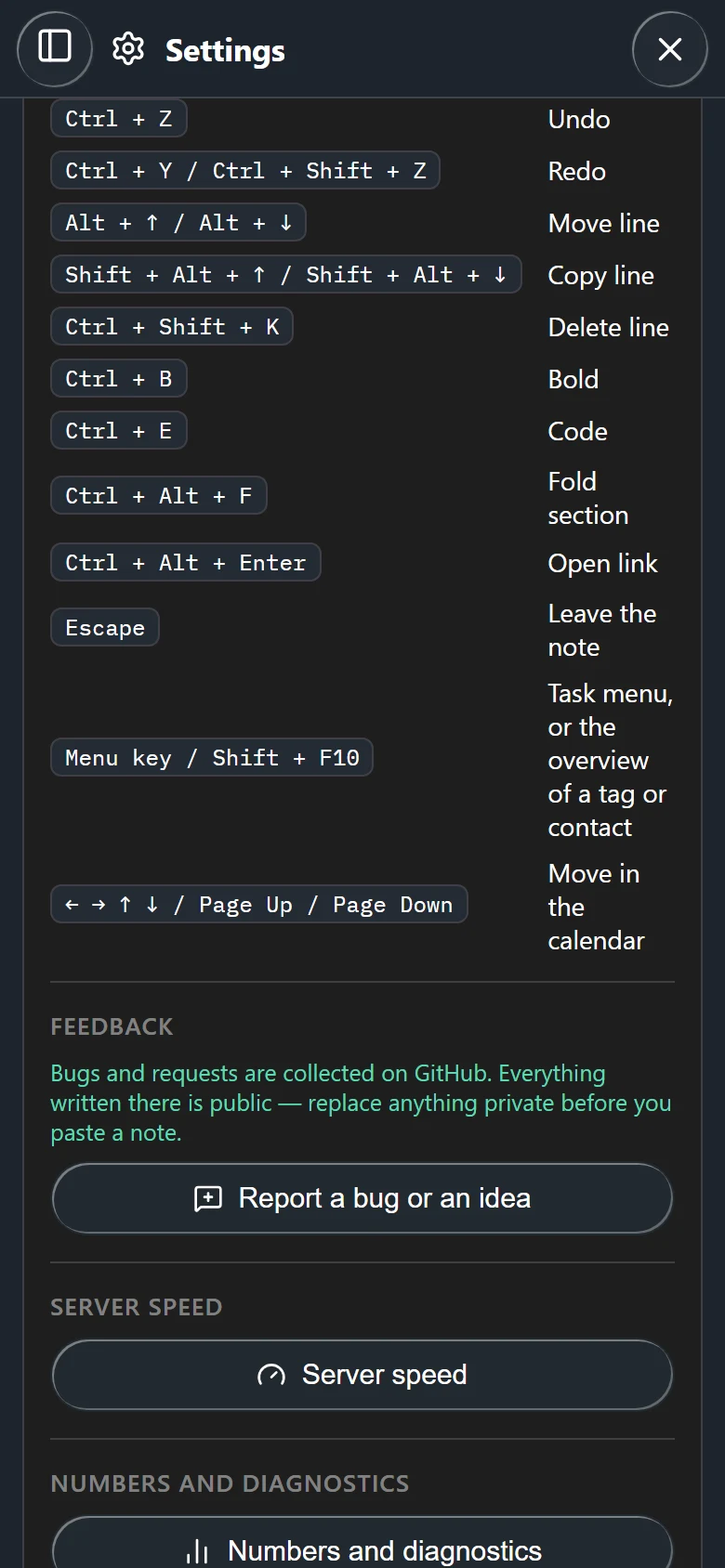
When something goes wrong, [Troubleshooting](../troubleshooting/index.md) says what to look at first.
### Imprint and version {#legal}
Below the last section, outside the folds:
| Entry | What it does | Platform |
| --- | --- | --- |
| *Imprint* | The publisher's imprint, readable without a network. | All |
| *Privacy policy* | Opens the privacy policy on caliora.org in the browser. | All |
| *Version* | The installed version, selectable for a bug report. | All |
| *Check now* | Looks for a newer version. The line beside it says whether one is waiting. | Windows from the Microsoft Store, Android from caliora.org |
| *Download* | Fetches the waiting version. | Android from caliora.org |
| *Show above the note* | Brings back the update notice over the note after it was closed. | Windows from the Microsoft Store |
| *View in the Store* | Opens tagwerk in the Microsoft Store, for an installation that did not come from it. | Windows |
## Keyboard shortcuts {#keyboard}
The shortcuts apply with mouse and keyboard on Windows and Linux, and in the browser showcase. They
are not for touch. *Settings → Help → Keyboard* shows the same list in the app.
### In the day view {#keys-day}
These work on the day view, also while the cursor is in the note, but not while a dialog is open.
| Keys | Does |
| --- | --- |
| Ctrl+F or Ctrl+K | *Search* |
| Ctrl+G | *Jump to date* |
| Ctrl+Page Up | *Previous day*; with the calendar open, one step of its view back |
| Ctrl+Page Down | *Next day*; with the calendar open, one step of its view forward |
| Alt+Home | *Today* |
### In the note {#keys-note}
| Keys | Does |
| --- | --- |
| Tab | *Indent* every selected line |
| Shift+Tab | *Outdent* every selected line |
| Ctrl+Enter | *Done*: ticks off the task on the cursor's line, or takes the tick back |
| Ctrl+D | *Duplicate line*, or the selection |
| Ctrl+B | *Bold* on or off around the selection |
| Ctrl+E | *Code* on or off around the selection |
| Ctrl+Alt+F | *Fold section* under the heading the cursor is in |
| Ctrl+Alt+Enter | *Open link* on the cursor's line; a web address before a link to a file |
| Ctrl+click on a link | Opens the link |
| Menu key or Shift+F10 | On a task: the task menu, where the arrow keys walk the entries. On a `#tag` or `@name`: its overview. |
| Escape | *Leave the note*, since Tab indents inside it |
| Ctrl+Z | *Undo* |
| Ctrl+Y or Ctrl+Shift+Z | *Redo* |
| Alt+↑ / Alt+↓ | *Move line* up or down |
| Shift+Alt+↑ / Shift+Alt+↓ | *Copy line* above or below |
| Ctrl+Shift+K | *Delete line* |
### In calendars and dialogs {#keys-dialogs}
| Keys | Does |
| --- | --- |
| ← → ↑ ↓ | *Move in the calendar*: a day or a week, in the small calendar of the side panel, in the calendar's *Month* view and in every date picker |
| Page Up / Page Down | The same day one month back or forward (not in the *Month* view, which pages with the arrows beside the date) |
| Enter or Space | Picks the day that has the focus |
| ↑ / ↓, then Enter | In the search: walks the results and opens one at its line |
| Enter | In a one-line field of a sheet - a time, a title, a reading, a profile name: does what the sheet's main button does. In the description it starts a new line |
| Escape | Closes the dialog in front, or a side panel that has slid in over the page |
The calendar is one stop for Tab; inside it the arrows do the walking.